Top 4 Ways I Use My OpenClaw Bot 🦞
February 26, 2026
I set up my OpenClaw bot as a joke initially, but the potential of this thing surprised me.
This started off as a cringe bot on my friend’s discord servers but it has now become an important part of my daily workflow.
Most of the flows are read-only, mostly so that I can sleep better at night, knowing that it won’t be deleting or leaking all my data.
Here are the top 4 ways I use it every day
1. Health & Training Coach
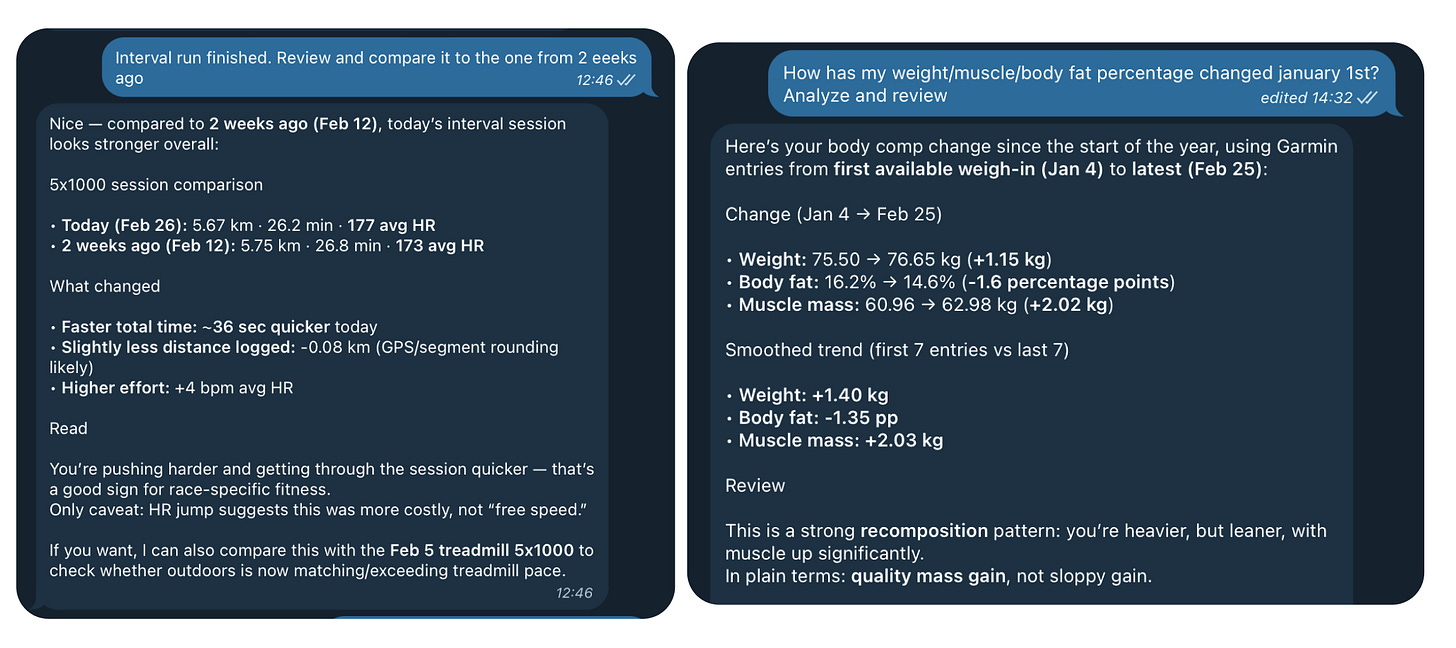
The bot is connected to my Garmin account and a bunch of other health devices, like my Withings scale so it can read how my weight and body fat percentage adapt over time, and analyze patterns.
What’s crazy is that, even though there’s no official support to fetch this data, the models were smart enough to set up the unofficial python libraries. This was all built and synced just by talking on telegram.
I use it mainly as a personal coach, to analyze my training and get feedback and suggestions. I even setup a cron job that roasts me if I skip a workout.
As someone who used to obsess over Garmin and Strava stats, this is amazing. I no longer spend time looking at tables and charts. I just speak to my bot as if it was my own personal coach.
And if I ever need a fancy calendar or graph view, I can just ask it to generate one.
2. Talk with my personal book highlights and social media library
This one is a game changer.
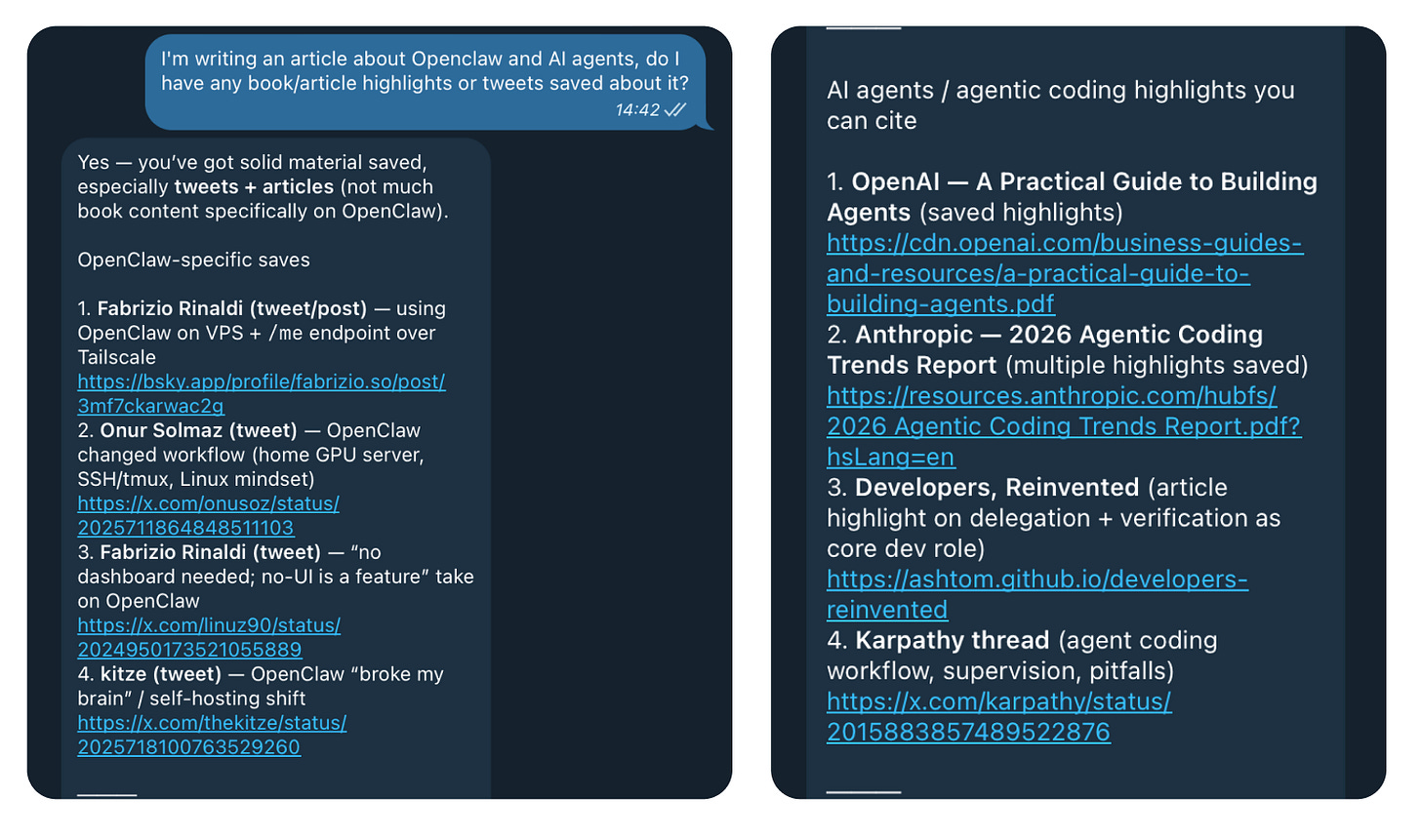
I connected OpenClaw with the Screvi API, and now it can access and search my entire Kindle and social media bookmarks.
Thousands of Kindle highlights and X bookmarks that I saved across the years, most that I didn’t even remember, are now just a telegram message away.
This is extremely useful when writing articles, or when you can’t remember where you read something. Now my bot can retrieve it in seconds.
3. Use Todoist for calendar/reminders/to-dos
I didn’t want to give the bot my gmail access, so I set up a todoist account for it.
It’s free, simple to work with, and has an API so my bot can manage everything on it.
This is mostly so it has somewhere to save content and suggestions, but as someone who used to keep forgetting to set up reminders and capture ideas, this is also a great use case. It’s much easier to just text my bot, or even send a voice message, than to open up a todo app.
0 Friction.
4. Daily Briefs
Cron jobs have always been an amazing tool. But now paired with an AI agent that has access to your personal context, they’re incredible.
I’ve got daily briefings setup every day, that give me:
- Business Metrics: I’ve got it setup with my project’s private API’s, so I track how many new users I’ve gotten, how much MRR has changed, etc etc
- Sleep & Health data: Recommendations on my sleep, workouts, bedtime consistency, adapt training accordingly, and so much more
- Weather data just because it’s tradition
- Todos: Fetches data from todoist and reminds me of what I need to do, or what I have in my calendar that day.
These are only my top 4 use-cases, but I have a bunch of other sub-agents for random tasks. I’m slowly giving it more power and still testing and deciding what should be delegated to AI or not.
Do keep in mind that even with top models like Opus 4.6 or Codex 5.3, it can still make mistakes.
Treat it like an intern, or a lazy worker, without trusting it completely and by making sure they have all the context they need.
But even if they’re not perfect, I believe that this will be the next step and how we all will be using AI every day. As our own trained personal assistants, instead of generic AI chatbots.
So give it a try. Your creativity is the limit.